
Isolate a precise set without picking elements individually.
MANAGER HUB

Selection Filter
WHAT THE TOOL DOES
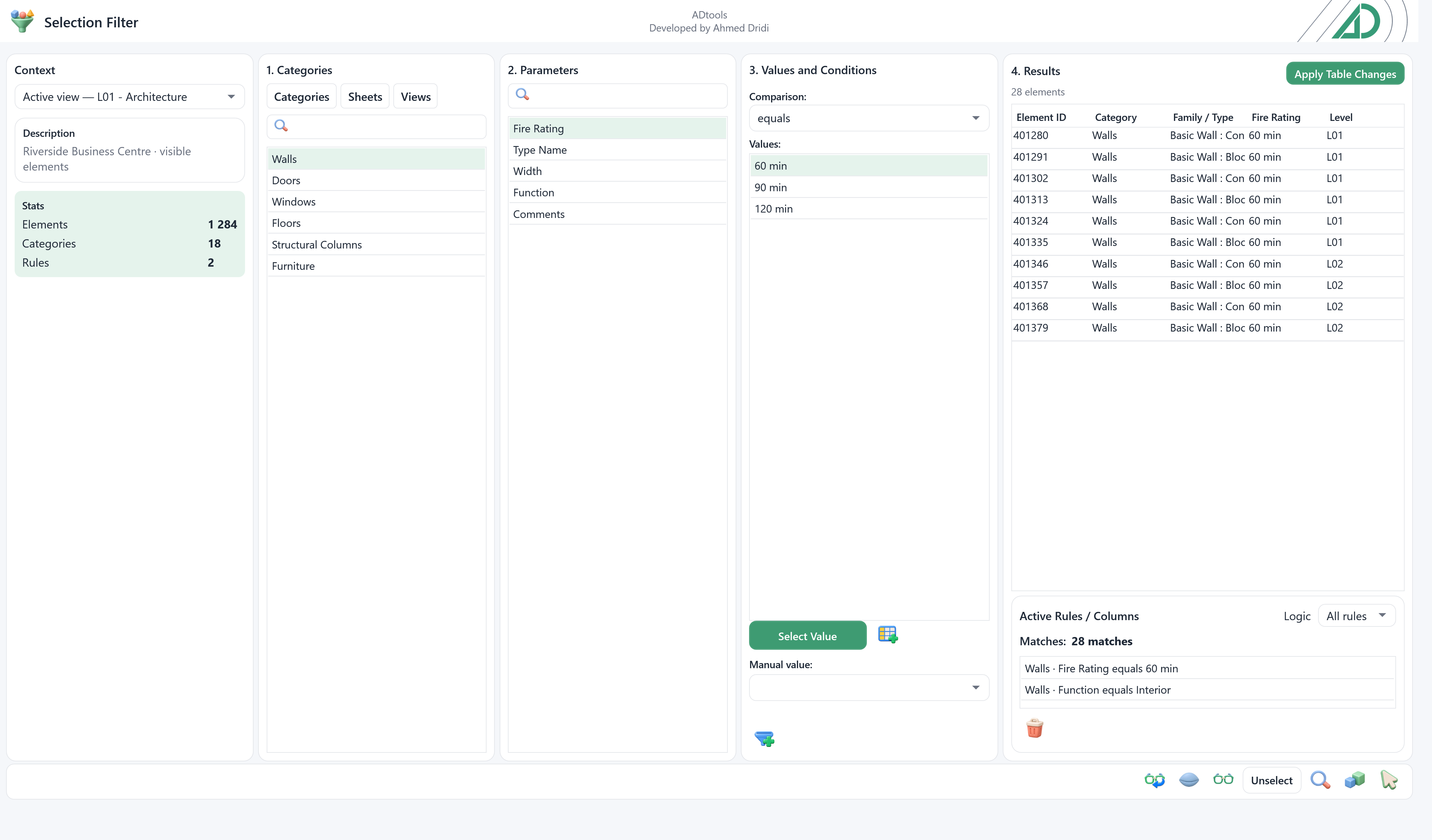
Selection Filter acts as a selection and review hub. Build complex rules, inspect results in a table and act directly on elements without closing the window.
A CONCRETE USE CASE
A need. A clear workflow.
Combine categories, parameters and values to build the selection.
KEY FEATURES
Multiple-criteria rules
Combine categories, parameters, operators and values using AND / OR logic.
Review table
Display results with parameter columns, sorting, multiple selection and suggested values.
View actions
Zoom, hide, isolate permanently or temporarily, and follow the active view.
Editing
Edit parameters in the table with pending changes before application, including operations across multiple rows.
IN PRACTICE
From task to result.
Define the context
Choose the source, then categories, sheets or views. Select a parameter to inspect its values and prepare a comparison or a manually entered value.
Combine criteria
Add conditions and relevant columns, then choose the logic between rules. Results and match counts let you progressively check the scope.
Act on results
Select, zoom, hide or isolate elements temporarily or permanently. Apply table edits with Apply Table Changes; Reset Isolation restores the isolated display.
A practical example
To find elements with a parameter needing correction, combine category and value conditions, add review columns and isolate the results before editing.
The tool in detail.
Illustrative example: the windows are populated with a fictional English-language Revit project, “Riverside Business Centre”.
ADTOOLS IN YOUR OFFICE
Request a demo See ADtools on your projects.
A video demo built around your own cases. Get in touch to set up a call.