
Develop a repeating graphic pattern.
GRAPHICS

ADpatterns
WHAT THE TOOL DOES
Manage Model and Drafting fill patterns. Draw repeating tiles with an editable graphical source, preview generated line families, import/export PAT files, and apply staged changes to Revit only when ready.
A CONCRETE USE CASE
A need. A clear workflow.
Adjust the tile, inspect its repetition, then manage the pattern in Revit.
TRY ITInteractive example · fictional data
This browser illustration explains the tool’s principle. Model actions take place in Revit.
KEY FEATURES
Model or drafting patterns
Explicitly choose Model or Drafting for graphical or line-based creation. Confirmed conversion creates a new native counterpart at the chosen scale, preserving the original and its usages. Used patterns and solid fills remain protected against deletion.
Consistent pattern previews
Manage Model and Drafting patterns with their angles, origins, spacing and phase. Previews respect PAT segments and remain legible for dense hatches.
Precise graphical editing
Draw lines, rectangles, circles and arcs with endpoint, midpoint, centre, quadrant and nearest snaps. Use Shift for 45° directions, or type an exact length, radius or rectangle width;height.
Continuous drawing workflow
Chains stay active. LI, RE, CI, AR and SE switch tools; Esc cancels the gesture and then returns to selection. Wheel zooms at the cursor, middle button pans and Home fits the drawing. Undo/Redo retains editable source.
Stage before applying
Check repetition and PAT output before Apply. Create corrected copies stages corrected copies; originals and material assignments remain intact unless explicitly replaced.
IN PRACTICE
From setup to result.
Create a tile
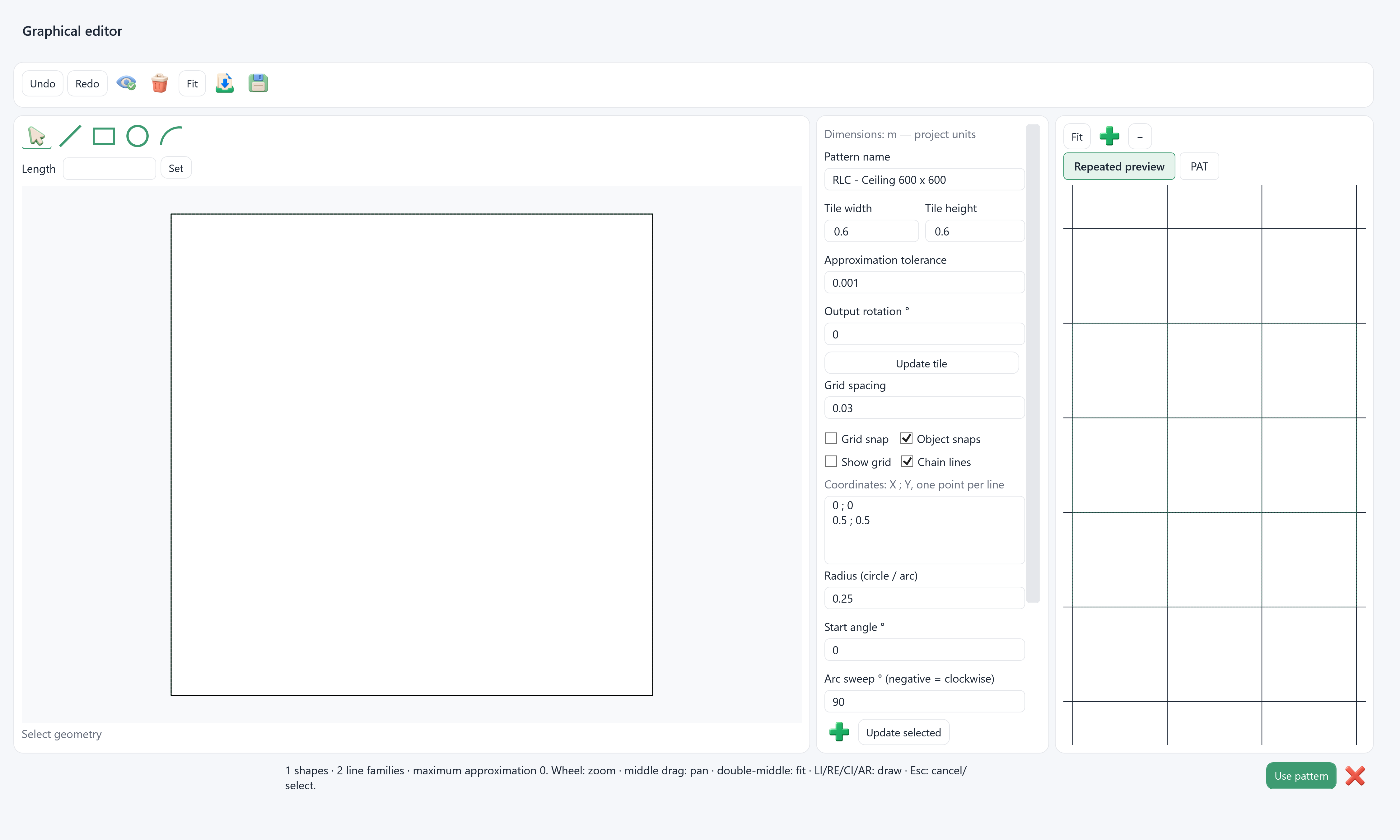
Prepare a Model ceiling pattern and draw a rectangle by entering 0.6;0.6 in metre units. Enable grid or snaps as needed.
Draw precisely
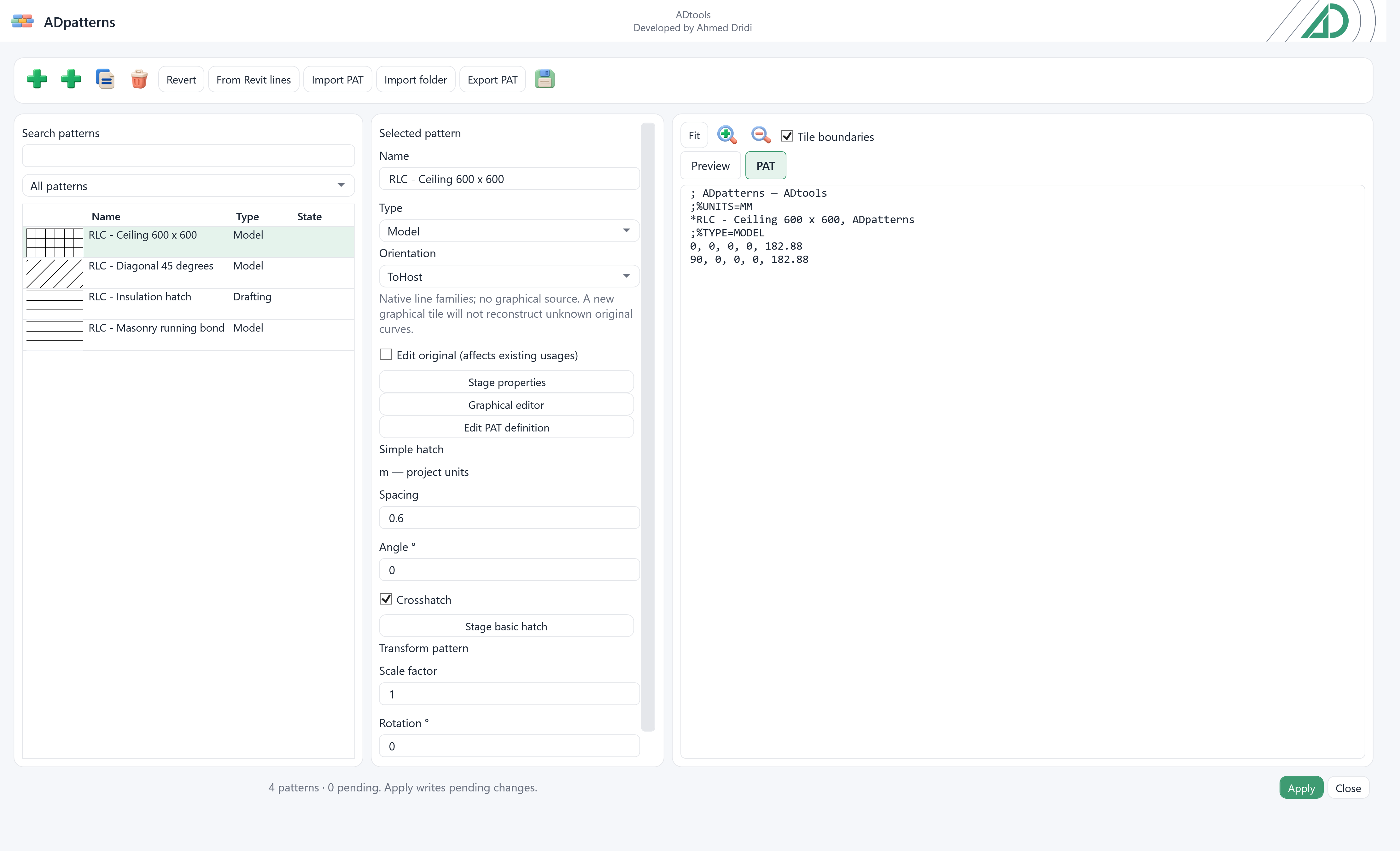
Add lines or arcs with snaps and typed values. Inspect the repeating preview and generated PAT definition.
Commit changes
Review the name, scale and pending edits, then use Apply to write to the project.
Riverside Office · fictional example
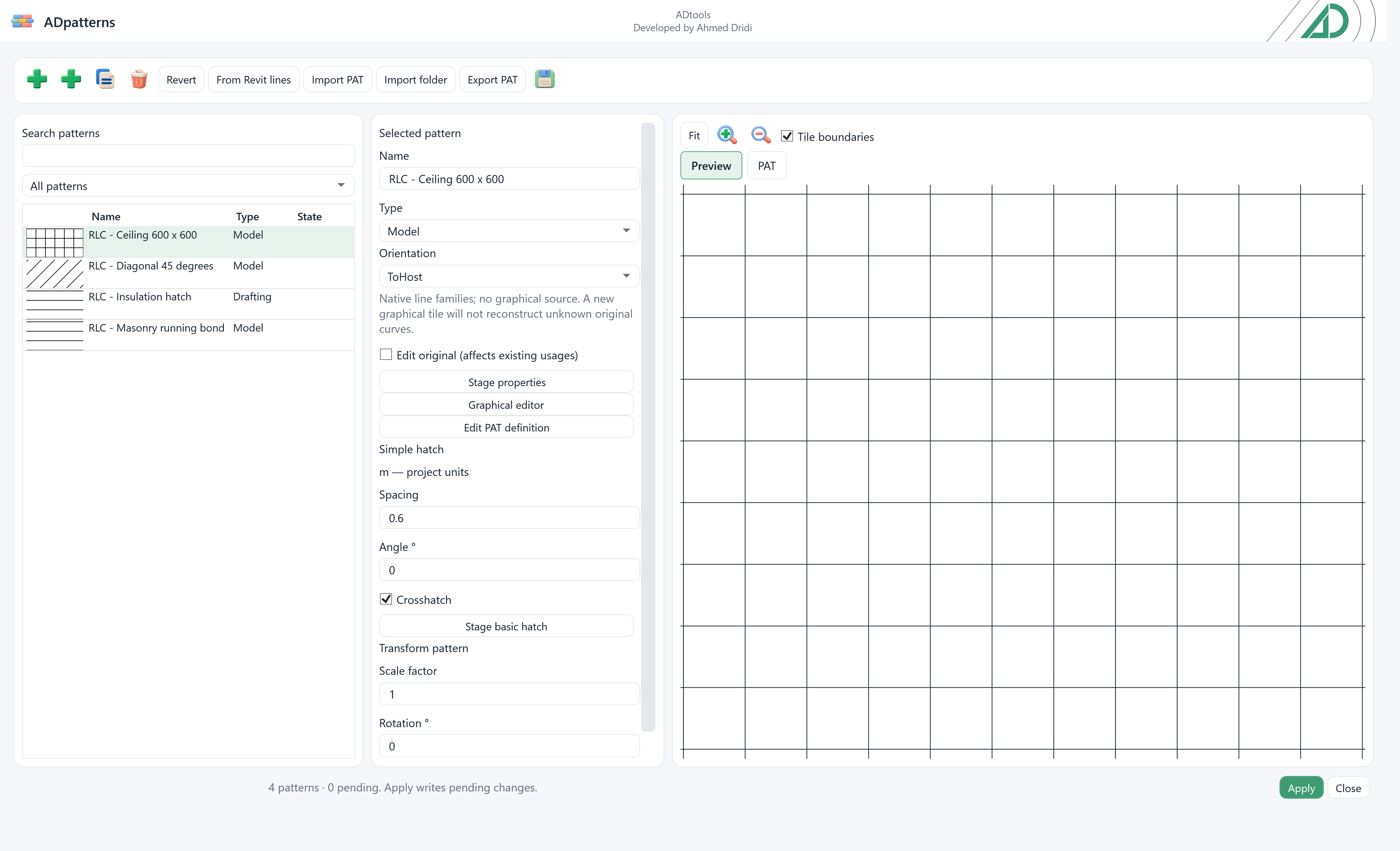
A 600 × 600 mm ceiling grid illustrates horizontal and vertical line families. The editor shows the source tile; the PAT tab displays its definition.
The interface, in detail.
Current source-interface views populated with fictional project data. Previews were rendered outside Revit.
ADTOOLS IN YOUR OFFICE
Request a demo See ADtools on your projects.
A video demo built around your own cases. Get in touch to set up a call.